The music is having a tantrum and can’t decide how fast to play. You move with the tempo, as do the enemies. Watch out for environmental objects like spike blocks, they don’t have ears and will keep moving regardless, so don’t get caught in their tracks when the music stops.
Download from itch.io and give it a go. Here’s how to play:
Two players (or one ambidextrous player) race to the end point.
Don’t move when the music has slowed down, and avoid anything red.
Collect coins to raise your score.
WASD moves player 1 (green)
IJKL moves player 2 (blue)
The theme for the 2017 Train Jam was ‘unexpected anticipation’, which was pretty challenging to work with. The first thing that came to mind was Johann Sebastian Joust, which fits perfectly but already exists. We bounced some ideas back and forth and ended up wanting to do something similar to Joust or musical chairs with stop and go gameplay, leaving you anticipating needing to stop but not knowing exactly when. The environmental enemies give a nice risk-reward mechanic, do you try to cross their paths and hope you don’t get stuck, or do you go the long way around?
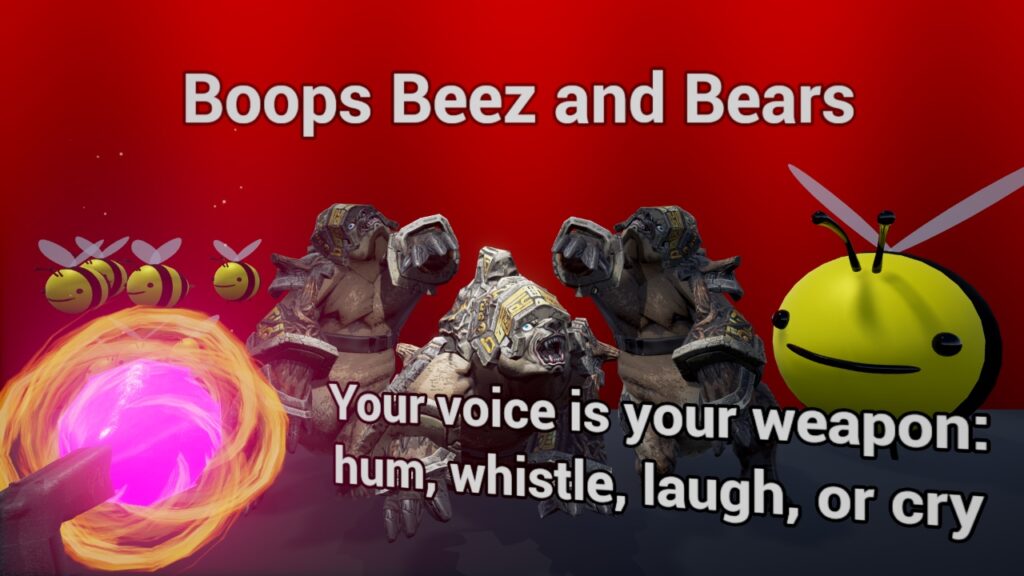
In Boops, Beez, and Bears, your voice is your weapon: hum, whistle, laugh, or cry – whatever works for you, just do it fast! It’s a cross between between a horde-mode survival game and a participatory art experience; best enjoyed with a crowd, who are likely to be amused by your vocal antics while avoiding the annoying beez.
You are armed only with the vox 9000 weirding module and must survive 10 increasingly difficult waves of derpy beez and grumpy techno-bears.
Download the game (and source code / assets) at the GGJ game page.
All content and new code created for the jam is placed under a CC0 license by the jammers.
Additional credits / licensed content:
SharedJamUI is used under the zlib license, (C) Michael Noland
kissfft is is used under the BSD license, (C) Mark Borgerding
Several assets were used from various free UE4 samples (Stylized Landscape, Infinity Blade Content packs, etc…), some of which are only licensed for use in UE4. These include most of the environment props and materials, the particle effects, and the bear.
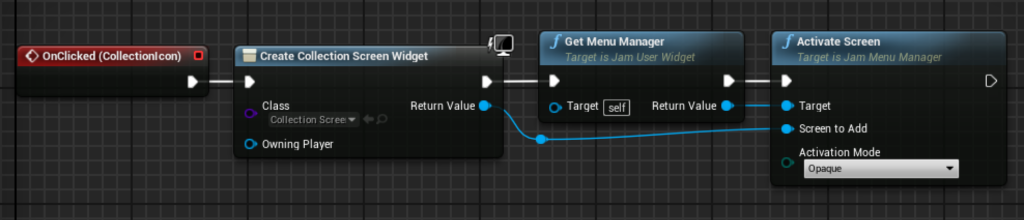
I’ve started a plugin that implements some useful base widgets and a simple menu manager to create game user interfaces in Unreal Engine 4. It’s sort of a spiritual successor to the SharedXNA library used in most of my XNA games.
It’s open source under the zlib license, mirrored to GitHub at https://github.com/joat/SharedJamUI. There’s a bit of usage information in README.md, but it’s pretty early and should be considered ‘jam quality’ code that hasn’t been really battle tested yet. Drop me a line if you end up using it and have some feedback.
For the first time, we’ve actually got multiple sites in the triangle area for the 2017 Global Game Jam, but the one I’m attending and focusing on is the UNC / NC IGDA site. As part of this, I’m giving a two-part talk with Travis Thompkins at UNC about game jams and using UE4 on Tuesday, Jan 17th at 4 PM.
Here are the slides for the first part of the talk (game jam thoughts):
They’re not really meant to stand alone so I don’t know how useful they’ll be in this form, with the exception of the resources links on the last few pages.
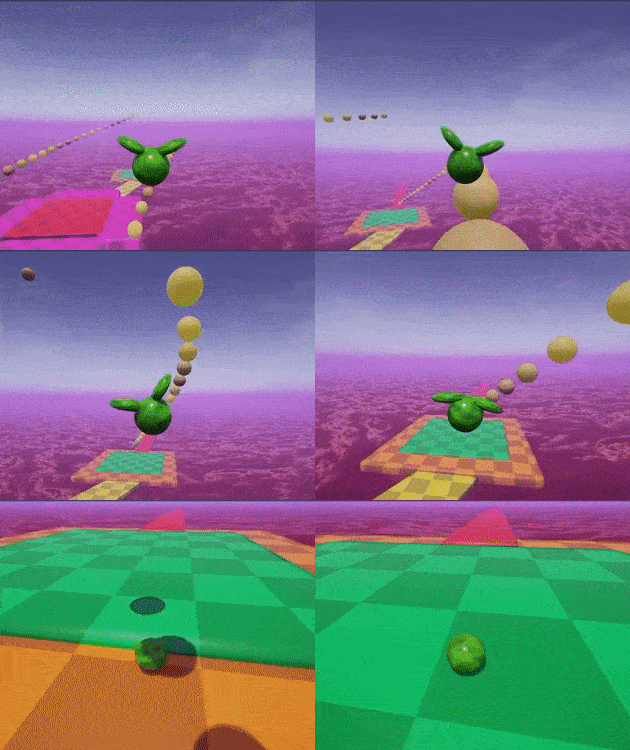
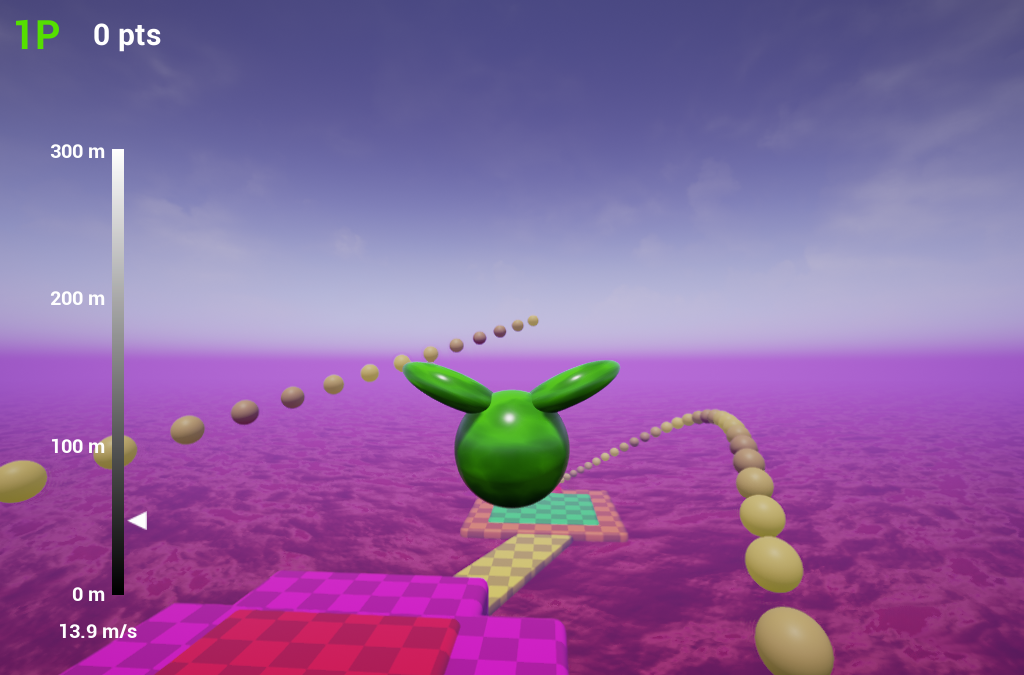
A 1..4 player local multiplayer game where cats (made out of slime) compete to grab snacks and get the best spot on the colored couches, strewn about in a lake of lava because why not.
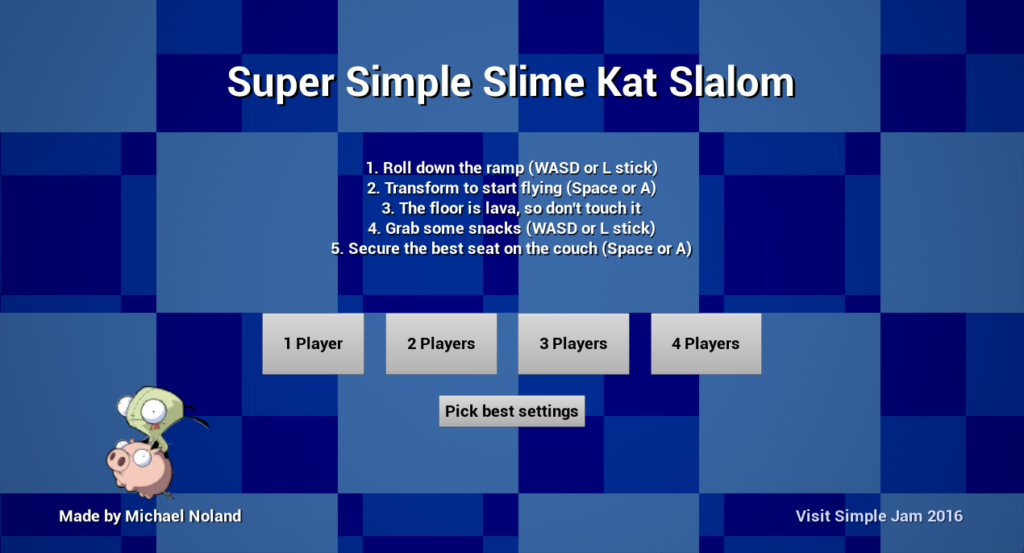
Created for the Simple Jam in a weekend using Unreal Engine 4.12. Simple Jam aimed to keep things manageable by limiting the number of rules and assets to 5 each. Here is how I spent that budget:
Game rules:
Roll down the ramp
Transform to start flying
The floor is lava, so don’t touch it
Grab some snacks
Secure the best seat on the couch
Imported assets:
Chamfered cube
Sphere
Lake water setup (stretching the definition just a teensy bit)
Cat model [saved for later]
[saved for later]
Menu screenGameplay
Turns out learning Z-Brush in a few hours is not actually a thing, so there’s no cat model yet; use your imagination. I’m watching Z-brush tutorial videos now and will probably work on it a bit more post-jam as I had a lot of fun making this.
You can download and play it from itch.io (Windows only ATM).
Angry Duck Diver was created as part of the 2016 Train Jam (March 10th to March 12th).
It’s a bullet-heavy vertical scrolling shmup/STG which contains neither ducks nor diving. Instead you have to constantly balance your avarice and cowardice, building up bonuses and choosing the ideal moment to bank your points before you are destroyed.
The theme was maximum capacity and I interpreted that as a risk/reward mechanic where you increase your bonus gauge as you approach maximum capacity, but you also increase your hit box and risk destruction, losing all your unbanked points.
Train Jam The Train Jam was an amazing experience, both as a jam and as a journey. The scenery is gorgeous and inspiring, and jammer disciplines seemed much more diverse / evenly spread than I’m used to at local jams (which tend to skew heavily towards programmers). I’m certainly planning on doing it again next year. However, one downside was the venue for the theme announcement/team formation before boarding the train; it was narrow and loud so it was hard to hear pitches or mingle with different folks pre-jam, and so I didn’t form or join a team before we got on the train.
This was my first jam working solo, and while it let me stare out of the window at the scenery as much as I wanted, I wouldn’t recommend it. Coordination was easier (especially since there was no internet for most of the jam, avoiding having to sneakernet files back and forth), but polish and achievable scope definitely suffered by going it alone. I finished the game, built some neat bullet spawning tech (barely scratched the surface with the current enemies), and had enough time to get some enemy variety done, but ran out of time before I could tune the waves for progressive difficulty or implement a boss fight (just a few more hours…)
Controls
Move with WASD, ZQSD, or Arrow keys
Fire with Space or LMB
Bank with Shift or RMB
Escape to Quit
How to play
Enemies are made of delicious coins, so you should shoot them
They are very protective of those coins, so avoid touching them or getting shot by them
Eating coins increases your bonus gauge but makes you fat
Banking protects points at the cost of draining your bonus gauge
Aim to beat your own high score and improve your average bonus rating
Additional Credits
Used resources from several UE4 samples (allowed as part of UE4 EULA)
‘Music’ is ‘Kozoro, Ryzu, Unison & Evence – Ascend’ by Ninety9Lives (provided for use in jam, unknown license)
The scenery on the train ride
Download and Play The PC download and prereqs installer are available here
Unzip and run AngryDuckDiver.exe on Windows to play the game (you may need to download and run UE4PrereqSetup_x86.exe first if you haven’t run a UE4 game before)
About the name I used Fancy Game Namer to come up with ideas as usual, and thought up a salvage game where a duck dives off a boat and collects treasure onto their boat. The theme of Maximum Capacity gave it the same core risk/reward mechanic where you had to decide how much treasure to gather and when to head back into harbor or risk capsizing. By the time I’d boarded the train, I had already pivoted into a shmup due to the easier art requirements of an abstract shooter instead of having to find/make a duck, boat, and treasure, causing a slight name mismatch.
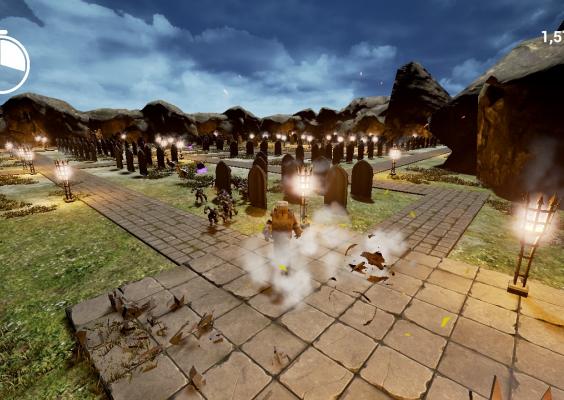
An intrepid grave looter accidentally disturbed the ritual of the groundhog and was cursed to never stop running. Trapped in an eternal hell, they fall back on old habits and decide to loot some graves.
Each grave you destroy will either provide delicious loot or disturb the dead.
Collect ingredients to perform rituals that cleanse the restless dead. When enough have been gathered, cross over the altars dotted thru the cemetery.
Use your shield amulet in a pinch, or gather more armor from the merciful angels.
Cowtastrophe is the game I worked on for the 2015 Global Game Jam (Jan 23 .. 25). It’s sort of a co-op cow sandbox score attack thingy. We start by assuming a perfectly spherical cow…
Premise
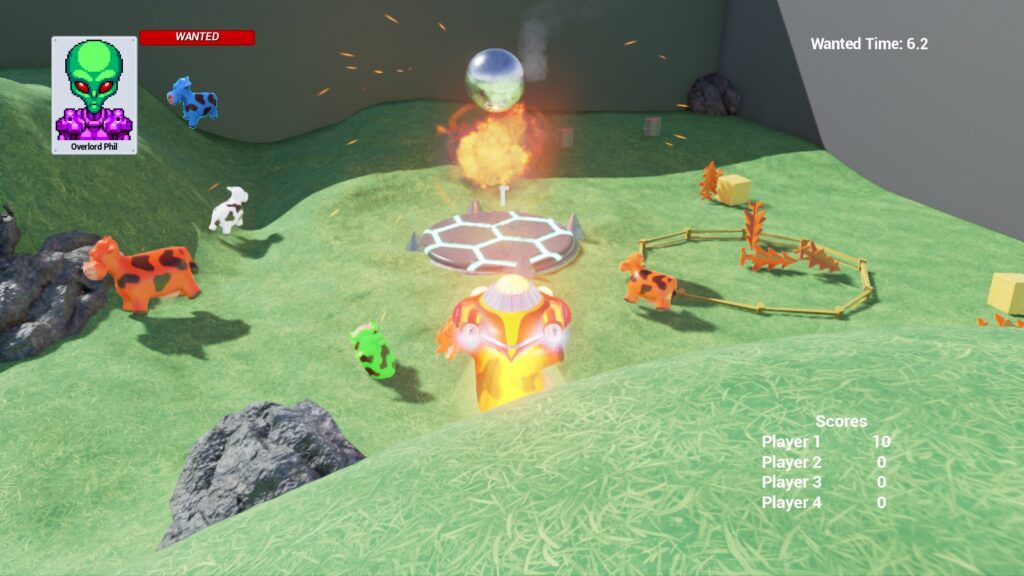
Overlord Phil has ordered all of his minions (that means you and up to three of your friends) to bring him cows, lots and lots of cows!
What do we do now? Cooperate to make Phil happiest or compete against the other minions to raise your status. Poor cows…
Gather cows and deposit them into the ‘teleporter’ (marked by a hovering sphere) to gain points.
The overlord is a very fickle boss, changing the desired type of cow frequently. If you fulfill his current order, you’ll get lots of points, but any old cow will keep him pleased for a bit.
Feed cows hay first to fatten them up.
Keyboard+Mouse:
WASD to move
Mouse to look around
Space or Left-Mouse-Button to activate your cowscoop
Tested on Windows and Mac, but the packaged release is for Windows only. Multiplayer requires multiple gamepads (use the ~ key to enter the console and type to add a 3rd or 4th player).
Tappy Chicken is the first UE4 game shipped on mobile platforms. It’s a very accessible one-button game, and you can download the entire game source assets and blueprints from the UE4 marketplace for free.
The shipped version targets the following platforms:
iOS: iPhone 4 / iPad 2 or above, running iOS 6 or above.
Android: Devices with an OpenGL ES 2.0 GPU that run API level 9 (Android 2.3) or above.
HTML5: Browsers that support WebGL (Latest Firefox, Chrome, Safari, or Opera)
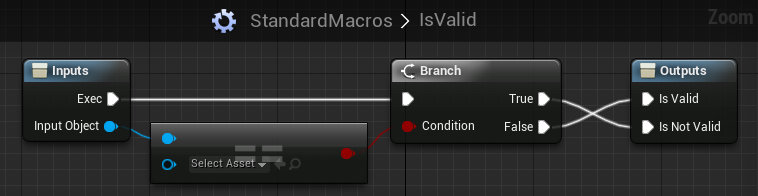
A Blueprint Macro lets you reuse a set of nodes over and over, and can be created in any blueprint (using the Add Macro button on the ‘My Blueprint’ toolbar). You can also turn a selection into a macro by right-clicking on a selected node and using the ‘Collapse to Macro’ option. A macro works a lot like a collapsed graph; you can define arbitrary inputs and outputs, which will show up as pins whenever you place a macro instance. Here is an example of a macro named IsValid, which checks to see if an object pin is valid or not:
IsValid macro declaration
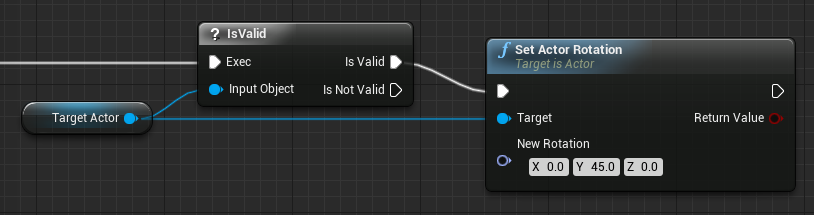
This macro can then be placed as an instance in another graph as ‘shorthand’ for the nodes it contains, allowing you to reuse code and hide complexity:
IsValid macro usage
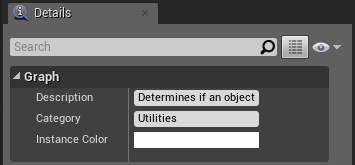
Be sure to set the Description and Category on your macros. The description will show up as part of the tooltip on node instances, helping you remember what the macro is doing without having to open it up (though you can always peer inside by double-clicking on an instance). The category defines where the macro shows up in the graph action menu. You can also pick an instance color, which controls the color of the node title bar on instances (for example, we use white to indicate flow control nodes, matching the color of execution pins and wires).
Specifying Description and Category
Macro Libraries
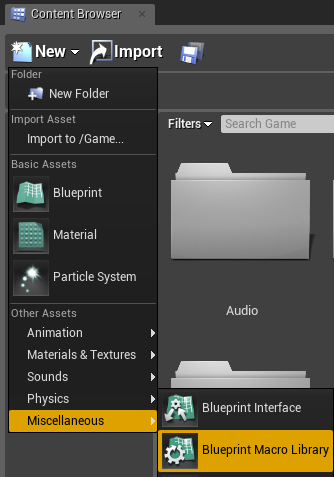
You can add macros to any blueprint, but normally they are only available for use in that Blueprint. In order to share a macro across many blueprints, you can add them to a Macro Library. There are a couple of built-in Macro Libraries in the Engine content directory (many features such as for loops are actually built using macros), but you should never edit content in the engine yourself, since future engine updates will stomp on your changes. Instead, create a Macro Library asset for your project using the content browser:
Creating a new Macro Library
You’ll be asked to pick a parent class for your macro library just like a regular blueprint (Actor is a safe choice if you’re not sure what this means). This allows macros in the library to access variables and functions declared in the parent class as if they were in scope. For example, macros in a library based on Pawn can call GetController without being passed a Pawn, and they will only show up as options in the context menu for Blueprints based on Pawn or a more derived class like Character.
There’s also a tutorial that will walk you thru the Macro Library editor interface the first time you make one (it can be accessed again from the Help menu if you’ve already skipped it).