Quick and dirty image analogies implementation (brute force searching).
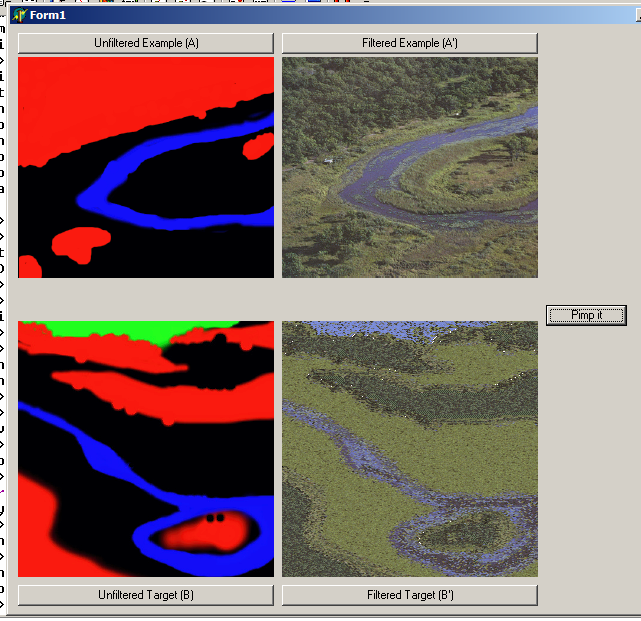
Quick and dirty image analogies implementation (brute force searching).
All CS students at the University of Missouri – Columbia are required to do a capstone project in their senior year. My group decided to make a game console for an arcade cabinet and a game to demonstrate it.
The capstone project is broken into two semesters, with the first semester spent on the design process and various state educational requirements they couldn’t fit into any other class like IP law and ethics. The class doesn’t meet during the second semester, with the time instead allocated to group meetings.
Our team (EONGames / Arkanerdz) consisted of:
The console was based around a BlueStreak ARM SOC running at 77 MHz, with a 512×384 framebuffer (visible display region is smaller), and plugged into any standard arcade cabinet with a JAMMA connector.
The game we made for our system was ‘Super Magical Happy Fun Kill Time II’, which is a Leprechaun themed 2D shmup written in C.
I have placed the project presentation from semester 1 online, but the prototype hardware ate itself after the semester 2 final presentation when someone plugged the JAMMA connector in backwards. The polarity key in the JAMMA connector of my old cabinet fell out at some point, and no-one noticed, but thankfully it happened after we had presented for the class! When I get around to it, I was thinking about making an emulator for it to show off the game, or just buying a new SOC board.
The Gallery of Art and Technology is a permanent installation at the University of Missouri – Columbia Museum of Art and Archaeology, created by the Computer Human Interaction Laboratory under the direction of Prof. Ali Hussam.

It features five kiosks running various exhibits, including:
There was also a news story about the exhibits published in the Columbia Missourian.
We constructed a virtual environment modeled on downtown St. Louis in 1804, reconstructed from materials provided by the museum. It includes a number of informative signposts and audio cues throughout downtown St. Louis in 1804, as well as special cue points. At each special point, the user can press a button to view modern St. Louis through a 3D panorama. I did troubleshooting and debugging on the project, as well as taking pictures on-site in St. Louis.
Many museums have far more artifacts than space to display them in; in this case, more are in storage than on display. To solve this problem, Adel Al-Fayez built a scanning device to digitize the artifacts and I built the virtual display case to show them. There are six screens to display individual artifacts on, and a touch screen to control the exhibit. An object can be selected and rotated or zoomed on the touch screen, or via an attached spin-wheel on the side of the pedestal. Whenever a new object is selected, a description of the object (as would be displayed on a placard in a real display case) appears on the screen. A different ‘gallery’ of six objects can be selected at any time from the list on the touch screen.
Adding new artifacts to the kiosk does require some technical expertise due to the digitizing steps (image capture is fully automatic, but removing outliers is a manual process), but once the object has been produced, it can be added to the display either via a small tool or by copy-pasting a template in the XML database and filling in the name, description, and object URL.
This was my project, from concept to finish, I did all of the specification, programming, and testing.


In addition to work on the individual projects, I was responsible for the specification, ordering, and wiring of all of the kiosk controls. I also created the wrapper program to display the interactive paintings used for the gallery opening, and a VR goggles based panorama viewer (cut from the exhibit as our magnetic tracker died).
This is pretty much just a laundry-list of features with some pretty pictures.

Useful stuff
Level formats supported
Model formats supported
Textures/materials supported
Demo effects:
Full-screen processing:
Procedural surfaces:
Misc. features:
Generated surfaces (no parameters):
These are all generated using a general purpose parameterized-surface generator with different parameter matricies.


Here are a few images from my real-time raytracer (taken on a 900 MHz Athlon):


It supports temporal supersampling, where only a fraction of the pixels are rendered in any given frame, so the image is rendered at interactive rates with degraded quality when being moved, but it converges to an optimal solution if the camera is left alone for a second or so (not enabled on these pictures).
I intend to add adaptive sub-sampling to increase speed without much loss in quality, and as an extension, the level of subdivision can be increased when the camera is still. This should give the speed advantages of sub-sampling without the problems in static images (missing small objects), although it will still have aliasing in animation if an object projects to something smaller than the initial grid resolution and falls fully inside of a grid cell.
It currently only supports spheres and planes, another area for expansion.
Note: The scene files are from an computer graphics course I saw online a long time ago, but I don’t remember exactly where they came from. If anyone has contact information, please let me know and I’ll add it here.

Chilik is similar in concept to Nullsoft’s excellent AVS plugin for Winamp, extended to 3D. It presents a tree-view of a scene graph, where the user can insert or move different models, special effects (such as particle systems), or scene modifiers (blurs, clones).
The screen saver aspects of the program include saving/loading individual scene trees, an interactive preview of the rendered scene as it is edited, and sequencing options (such as which scenes to use and the transition mode between them).


Mappy 0.9d is the 4th release of the Mappy Virtual Machine and the first release to be Open Source. The complete source code to both the Mappy VM user interface and the Mappy VM core is available under the Bottled Light Public License, similar in terms to the MPL.
The binary version of Mappy VM 0.9d is an interim release to accompany the source code. In addition to a number of bug fixes, 0.9 is also considerably faster than 0.8. Most of the viewers have also been improved and the source debugger has been rewritten from scratch.
More information, binaries, and source code can be found at http://www.bottledlight.com/mappy
Mappy VM is a fully featured virtual machine which behaves very similar to the Gameboy Advance from Nintendo. It fully supports the CPU, input hardware, all graphics modes, DMA with correct timing, and many aspects of the sound system. Both a compiled version and the complete source code can now be downloaded from the Mappy VM website. However, it needs a BIOS image from a GBA for proper operation, as the included stub BIOS only includes an IRQ handler.
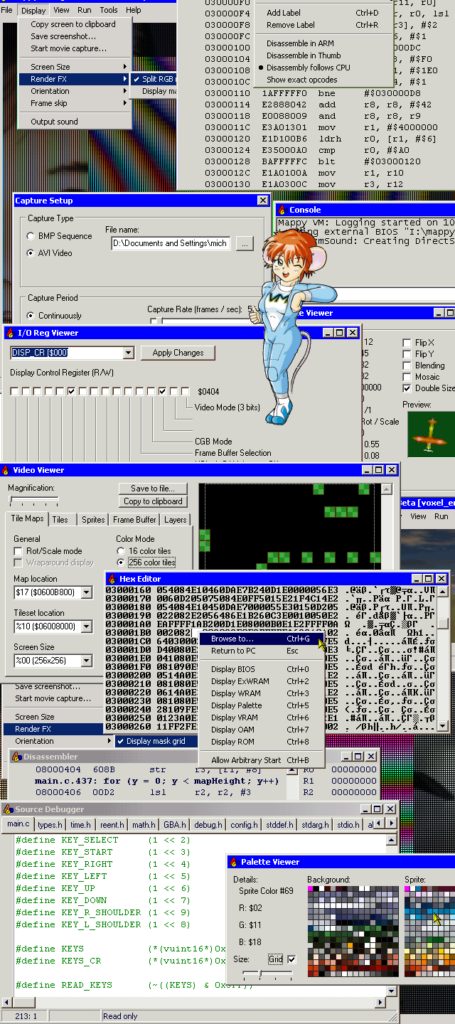
Mappy VM also provides an extensive suite of tools to assist developers in debugging and developing their games:
All of the viewers are updated in realtime as the simulation progresses, and most of them have editing capabilities. Being able to pause a simulation and edit system conditions can be extremely useful in attempting to reproduce bugs. In addition, Mappy VM also supports
saving or restoring the entire system state, making it easier to debug problems that only occur after several minutes of gameplay or to test multiple hypotheses.
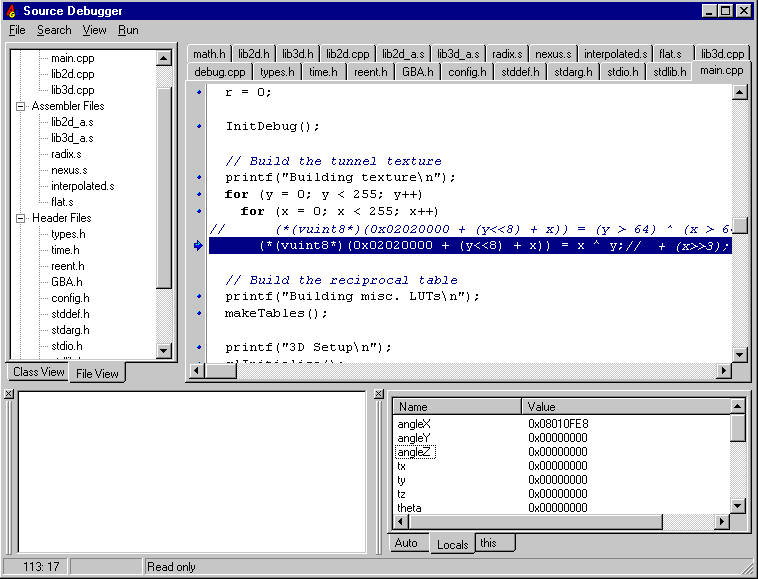
A number of pictures from the current version (0.9) can be seen in the online help.
Here are a few screen shots from a software rasterizer and TNL stack for the GBA.
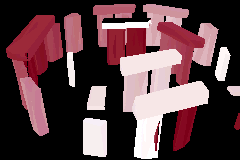
The second screen-shot also shows the use of Mappy VM for profiling code using the console.
Gauntlabo was a project to create a fun little Gauntlet-style game for the GBA. Although the project never really got off the ground, mainly due to other commitments for the group members, we did create two map editors and quite a bit of concept and tile art.
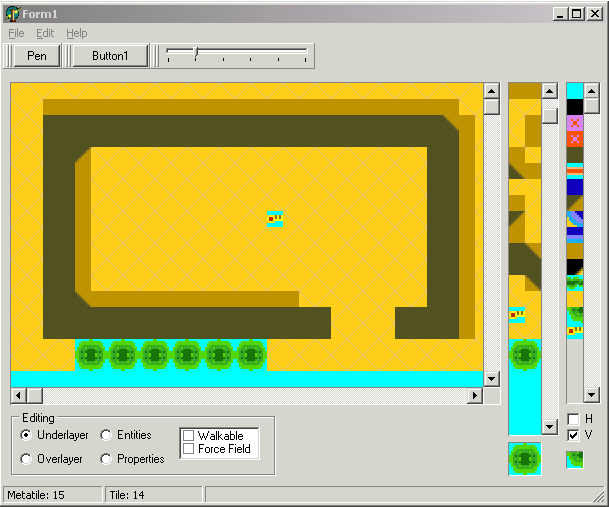
I did one of the map editors and a GBA stub to display maps, mainly to get the artists started. The editor isn’t very complicated, you select a tileset (stored in a free-form bitmap), and define your metatiles (including HV flips), although they are saved in the map file itself. This isn’t really a bad thing, since you can always copy a map with decent metatiles defined, and then clear it, but it’d be one thing I’d change.
The editor has 2 standard layers, and it lets you paint properties on any tile (although there were only two properties in the game engine at the time). It has all the code to place and save entities, but no entities to place…
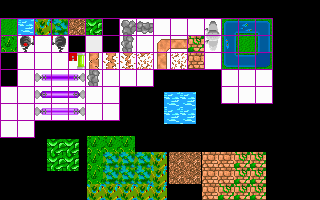
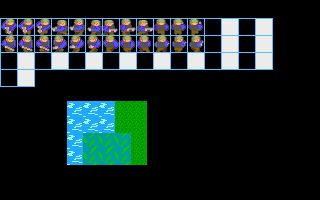
Feast your eyes on my programmer-art tileset (yes, that green blob is meant to be a bush)