I was thinking of doing something Steampunk themed for Halloween, and thought I might spend a few hours prototyping a ‘raygun’ prop. This aether cell as far as I got, it would serve as the ‘ammo cartridge’ for the raygun, sticking out of the back at a slight angle.
It’s got a red LED, a cyan ultrabright, and a UV LED, and the fluid is a mixture of diet tonic water, vodka, and highlighter fluid, so you get a very nice eerie glow with the UV LED on.
Aether converter cell in action
One reason I didn’t go further is because Mighty Putty sucks. I had purchased some on sale at Target because it’s supposed to be waterproof, but it certainly didn’t form a watertight seal against my brass coupling and I’m glad I tried it here and not in an emergency plumbing situation! It also smells incredibly foul, far worse than other epoxies I’ve used.
Another thing I’d try differently next time is to omit the highlighter fluid. It does glow brightly, but it’s fairly opaque as well, making the mix look cloudy with the LEDs off and I think it limits how far the UV can travel too much.
Aether converter cell in actionMounting LED + crystalTesting crystal positioningRed LED on
So, we set out to make some bacon cakes and succeeded wildly (though not without a few hurdles along the way). At the weekly fooding, we ended up with two distinct designs.
Design 1 (main course)
Todd made a cake with a boneless pork chop core, iced with mashed potatoes and asparagus trim, and bacon bathed in a dijon sauce to top it off. The cake turned out excellent, especially the sauce, but apparently this was Todd’s 3rd try. The first two cakes didn’t have sufficient structural integrity (IIRC he was experimenting with bacon lattices to hold the potatoes in place rather than having a core).
Design 1, mk3 – Bacon cake with a porkchop coreDesign 2 (‘desert’)
I went for a sweet Jalapeno corn bread for the ‘cake’, with cheezy mashed potatoes for icing, and ‘bacon’ spelled out in bacon on top. It had quite a kick, and just a hint of sweetness, so it went well as a second course after the pork chops as an entree. The cornbread also looked for all the world like a yellow cake from a distance, and it could be cut like cake as well.
Design 2: Bacon cake with a cornbread coreRecipe
I don’t have Todd’s recipe, nor is mine exact, but here’s what I recall:
Cornbread
Take the standard Quaker cornbread recipe and double it. Replace the water with cream corn (about 1 1/4 cans) and just a bit of milk (add as needed to maintain consistency). Replace as much of the oil with bacon grease as you can (you’ll need bacon for later, so may as well fry it now). Add a small can of diced Jalapenos, a pinch of garlic salt, and maybe 1/2 cup of four cheese Mexican blend. Add an extra egg (and use both the yolks and whites).
I mixed it up and put it back into the cast iron pan that I used to fry the bacon, then baked it for ~35 minutes. If you’re making a huge cake, you could just use the round straight out of the pan (cut the top flat), but I went for a smaller rectangular form by cutting off the edges and serving those up straight.
Icing
Cook 7-8 medium Yukon gold potatoes fully peeled and coarsely diced until fork tender (Yukons have a nice taste and texture, but they’re kind of yellow and you might go with something a little whiter if you want it look like white icing).
Mash up with 4 tbsp butter, 1/2 cup heavy cream, 1 tbsp white pepper, and ~3/4 cup five cheese Italian blend (anything is probably fine as long as it’s a white cheese obviously). I also added 5 or 6 grinds of garlic salt to both get the salt needed as well as add a bit more flavor. Let it cool to where you can safely touch it before trying to ice the cake, if you don’t want to burn your hands. The cheese will make this set up very nicely and smoothly, it really does look like icing.
Topping
Crumble the bacon and decorate. Writing letters with bacon dust is harder than it looks.
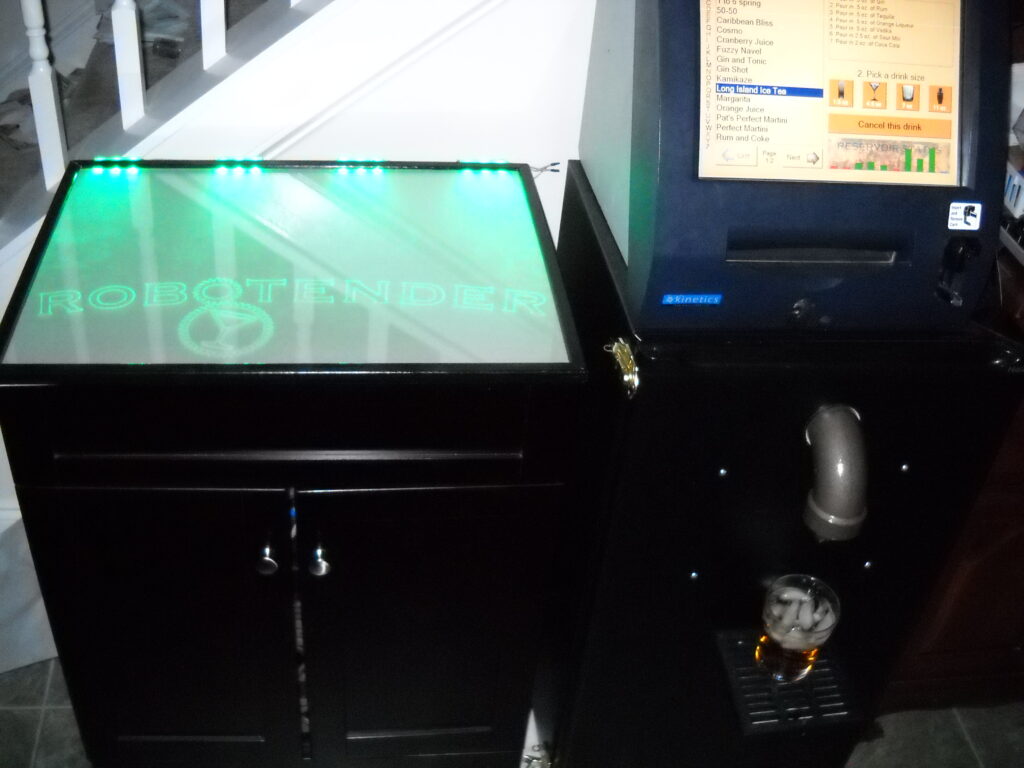
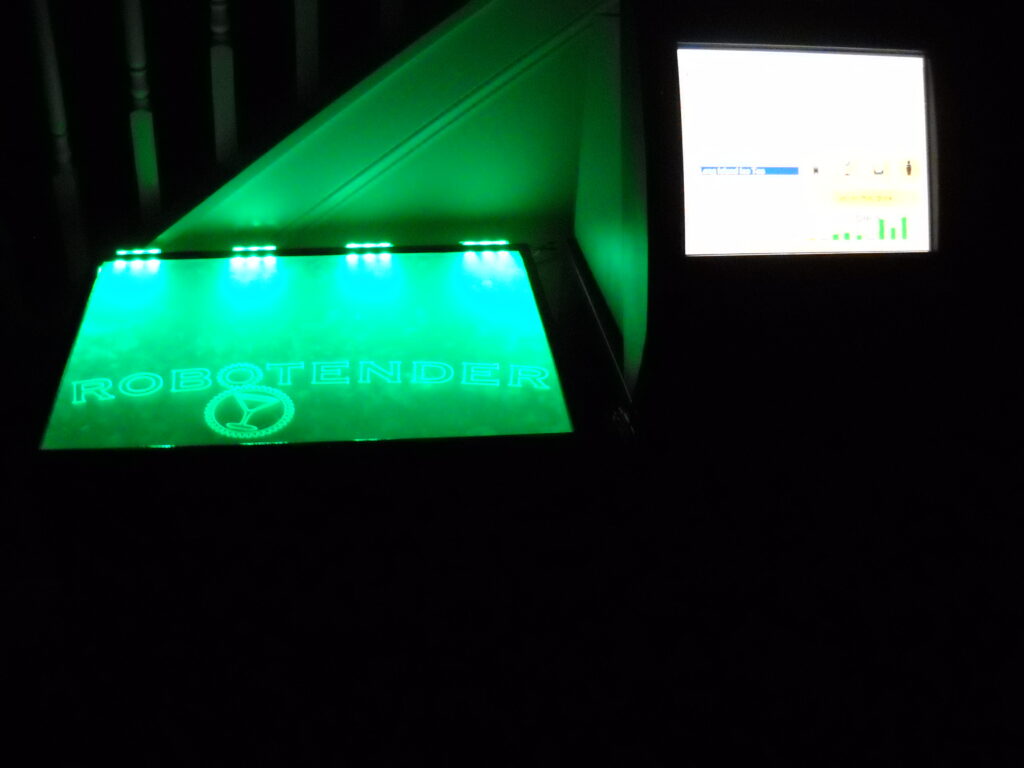
Robotender is a robotic bartender. It can mix any quantity of 9 different liquids together to make a wide range of drinks. The touch screen allows a recipe and drink size to be selected and it will then be poured. If a recipe contains any ingredients that aren’t currently loaded into a reservoir, the screen will instruct you to pour that one in manually. One of the most enjoyable drinks to pour is a Long Island Ice Tea, which causes 5 reservoirs to activate in quick succession, and only needs to be topped off with a touch of Cola for color.
The system works with a set of pressurized reservoirs and electronically controlled solenoid valves. When a valve is activated, the pressure forces the liquid out and into the glass.
Conceived of many years ago and built in the fall of 2008.
Sunny Day is a game that I worked on at the 3rd Triangle Game Jam with Mike Daly, Rett Crocker, and Brett Brown.
The theme for this jam was Music Video Games, to come up with a game idea based on or inspired by a song (note: not creating rhythm games).
A little girl goes for a walk. When the sun shines on her, she is happy and spreads happiness to all those around her. When she is in the shade, she is sad. You control the sun, who wants to make the girl as happy as you can. You do so by positioning the sun so that the clouds beneath you don’t end up shadowing the girl.
The concept from this game was based off of the song “Sunny Day” from the Vib Ribbon soundtrack by the Japanese music group “Laugh & Peace”.
Check out the Triangle Game Jam page for Sunny Day for a download and more information. We struck a compromise between the two day approach of previous triangle jams and the 2.5 day approach (meet and start working Friday night) in the Global Game Jam by meeting on Friday night to come up with ideas and teams over BBQ and beer, but we didn’t start coding until we met on Saturday morning.
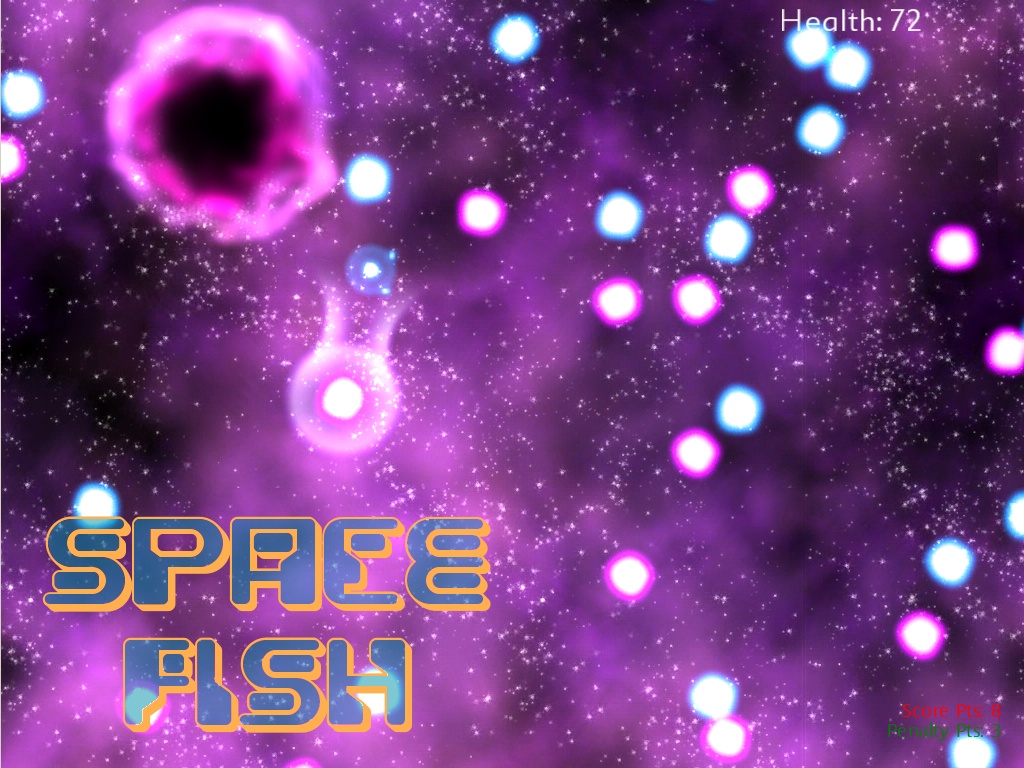
Space Fish is a game that I worked on during the first Global Game Jam at the Raleigh-Durham site with Nick Darnell. The theme was ‘As long as we’re together, we’ll never run out of problems’.
It’s sort of a physics-sandbox game, where you can use your StarBeam to grab red or blue stars and fling them around.
Mindy the Space Fish is a persistent omnivore which will exist until the end of time. You are Mindy’s minder, feeding her pesky Red stars and keeping her from eating the pretty Blue stars.
As Mindy’s minder, you are free to ignore her. However, if you want to stick around with Mindy, your life will be full of problems.
The text we included with the game:
This is Mindy the Space Fish. Mindy likes to eat things. You are Mindy’s minder.
Care and feeding of the Space Fish:
In particular, there are Red stars and Blue stars floating about that Mindy wants to eat.
Red stars are painful to you, so you should throw them all to Mindy.
You’ve got nothing against Blue stars and would be very sad if Mindy ate them all.
You and Mindy would both be sad if Mindy ate you, but Mindy cannot help herself.
You’ve got a StarBeam that you can use to grab the nearest star and you can fling it about, either towards Mindy or away into space. We ran out of time to create a real level, so the scene is really crowded and it ended up being more of a physics sandbox than a puzzle, but with a bit more time and actual level design, it would probably be pretty fun.
There is more information, source code, and precompiled binaries available at the global game jam page for Space Fish.
Additional Credits: Patrick Sebring created the title screen, Harrison Moore made the music, and Mike Daly saved us from programmer art by making some sprites in Max and exporting them to spritesheets.
The Gallery of Art and Technology is a permanent installation at the University of Missouri – Columbia Museum of Art and Archaeology, created by the Computer Human Interaction Laboratory under the direction of Prof. Ali Hussam.
Gallery Exhibits
It features five kiosks running various exhibits, including:
Lewis and Clark Adventure (Nathan Bleigh and Zach Fischer)
Harriet Tubman Educational Game (Justin Satterley)
Virtual Exhibits (Michael Noland)
1804 St. Louis (Sunny Chauhan, Eli Kerry, Michael Noland, Remy Nsengiyumva, Tyler Robertson)
Interactive Painting: Dido in Resolve (Nathan Bleigh)
There was also a news story about the exhibits published in the Columbia Missourian.
1804 St. Louis
We constructed a virtual environment modeled on downtown St. Louis in 1804, reconstructed from materials provided by the museum. It includes a number of informative signposts and audio cues throughout downtown St. Louis in 1804, as well as special cue points. At each special point, the user can press a button to view modern St. Louis through a 3D panorama. I did troubleshooting and debugging on the project, as well as taking pictures on-site in St. Louis.
Virutal Exhibits
Many museums have far more artifacts than space to display them in; in this case, more are in storage than on display. To solve this problem, Adel Al-Fayez built a scanning device to digitize the artifacts and I built the virtual display case to show them. There are six screens to display individual artifacts on, and a touch screen to control the exhibit. An object can be selected and rotated or zoomed on the touch screen, or via an attached spin-wheel on the side of the pedestal. Whenever a new object is selected, a description of the object (as would be displayed on a placard in a real display case) appears on the screen. A different ‘gallery’ of six objects can be selected at any time from the list on the touch screen.
Adding new artifacts to the kiosk does require some technical expertise due to the digitizing steps (image capture is fully automatic, but removing outliers is a manual process), but once the object has been produced, it can be added to the display either via a small tool or by copy-pasting a template in the XML database and filling in the name, description, and object URL.
This was my project, from concept to finish, I did all of the specification, programming, and testing.
Virtual display caseTouch screen interface
In addition to work on the individual projects, I was responsible for the specification, ordering, and wiring of all of the kiosk controls. I also created the wrapper program to display the interactive paintings used for the gallery opening, and a VR goggles based panorama viewer (cut from the exhibit as our magnetic tracker died).
I took a very interesting upper level course on Viking History and for my term project, I researched Viking Ship building technology and archaeological ship finds.
Examining the archaeological evidence of ships in Norway and Denmark, and its impact on our understanding of Viking nautical technology.
This is pretty much just a laundry-list of features with some pretty pictures.
Useful stuff
Flexible scene-graph with multiple render targets
Virtual File System for seamless loading from regular directories, Quake PAK archives, or ZIP files.
Limited GUI support (transparent text windows which can be dragged around or typed into, great for debugging)
Level formats supported
Quake level loading (.BSP, version 0x1D)
Quake II level loading (.BSP, version 0x26)
Quake III level loading (.BSP, version 0x2E)
Model formats supported
Quake II model loading (.MD2)
Quake III model loading (.MD3)
Molecule loader (.M3D)
3DS loading (.3DS, incomplete)
Textures/materials supported
JPG
PNG
TGA
PCX
BMP
Q2 .WAL
Q3 .shader
Demo effects:
Tunnel
Infinite 3D grid
Tie-dye (composite effect)
Sinus Scanlines
Copperbars
Iterated function systems with multiple morph modes and pre-defined matricies for the morphers: Binary, Coral, Crystal, Dragon, Fern, Floor, Spiral, Swirl, Tree, Triangle, and Zig-zag
The robot’s brain is a MIT Handyboard, and we used LEGO bricks and motors to actually build the thing. We designed him for high torque, and as a consequence he was one of the slowest robots in the class, earning him the moniker Speedy. The sombrero came during a late night build session after taping out some boundaries on the floor…
The final project report is available, and it includes more pictures, prose, and the source code.