VR Pong

VR Pong was developed for Engineering Week 2003 at the University of Missouri – Columbia . Every year, about one thousand students of all ages (K-12) come to look at exhibits at the Engineering department during E-Week.

A stylish shot of my arm playing

We had just set up the Computer-Human Interaction Laboratory and needed to put some exhibits together that could be enjoyed by most students, so I decided to do something with some Polhemus position sensors. It ended up being a big hit, and we had problems keeping the students moving through because everyone wanted a chance to play.

VR Pong is designed to be played by two people at once, one person with their right hand, and another with their left hand. Each player looks at their own computer monitor and sees a view from one end of a rectangular corridor. The position of their hand determines where the paddle on the screen is positioned, and each player attempts to score against the other by knocking the ball past their paddle. The game doesn’t use the touch sensors embedded in the gloves, they were used because it was convenient.

Magnetic tracker and gloves

Ultrasonic sensor visualization

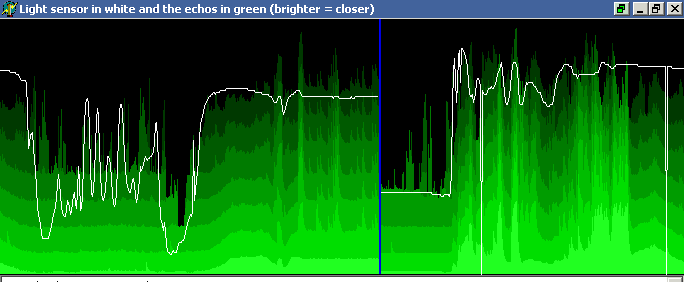
I got a pair of nice SRF-08 ultrasonic rangefinders for a robot project some time ago and decided to test them out with a PC first. I built a I2C adaptor for the parallel port and wrote some logging/graphing code to display the time-of-flight for the first eight echos returned.

Nothing fancy, but it was interesting to see how different obstacles affected the readings, and I added a little ‘Theremin’ mode for fun, where the first echo determines the frequency of a tone.

MSVC 6.0 C++ name mangling conventions

Microsoft likes to call these decorated names, to each their own.  Here is what I’ve gleaned so far, use at your own risk.  In particular, this has changed before (going to MSVC 4), and could quite possibly change in the future.

stdcall:
?funcName @@YG retType params-list Z

cdecl:
?funcName @@YA retType params-list Z

thiscall:
?methodName @ className @@AAE retType param-list Z

static method call:
?methodName @ className @@CA retType param-list Z

If there are parameters, param-list is a list of them, followed by a @. Otherwise, param-list is X (void), with no @ afterwards.

Basic types:

D is charint8
E is unsigned charuint8
F is shortint16
G is unsigned shortuint16
H is intint32
I is unsigned intuint32
J is longint32
K is unsigned longuint32
M is floatfloat32
N is doublefloat64
X is void
_J is int 64int64
_K is unsigned int 64uint64
_N is bool

Pointers:

  • PA prefixes a type to indicate a pointer
  • PB prefixes a type to indicate a const pointer

Note: volatile is not represented in the mangled/decorated name

Structures:
UstructName@@ is structName
a pointer to a struct occurs as PA or PB followed by a U...

Udigit@
Constructing reference to the previous digit-th U definition (1 based).
In other words, it creates a new definition that can be referenced later on as well.

digit
Reference to the previous digit-th U definition (0 based!!!)

For structures, a PAUname@@ will be referenced as 0 in other parameters of the form name *, but the first parameter of the form name will appear as U1@ and subsequently as 1.

The converse is having a Uname@@ first, and then parameters of the form name * will appear first as PAU1@ and subsequently as 1, and parameters of the form name as 0.

Note: 0 and 1 in these two examples are the positions of the first Ux@@ and first Uy@ declarations, they could be 2 and 4 if there were two decls before the first, and one decl in between.

Chilik Screen Saver

Chilik is similar in concept to Nullsoft’s excellent AVS plugin for Winamp, extended to 3D. It presents a tree-view of a scene graph, where the user can insert or move different models, special effects (such as particle systems), or scene modifiers (blurs, clones).

The screen saver aspects of the program include saving/loading individual scene trees, an interactive preview of the rendered scene as it is edited, and sequencing options (such as which scenes to use and the transition mode between them).

Mappy VM source code released!

Mappy 0.9d is the 4th release of the Mappy Virtual Machine and the first release to be Open Source. The complete source code to both the Mappy VM user interface and the Mappy VM core is available under the Bottled Light Public License, similar in terms to the MPL.

The binary version of Mappy VM 0.9d is an interim release to accompany the source code. In addition to a number of bug fixes, 0.9 is also considerably faster than 0.8. Most of the viewers have also been improved and the source debugger has been rewritten from scratch.

More information, binaries, and source code can be found at http://www.bottledlight.com/mappy

Mappy VM: GBA emulator and development tool

Mappy VM is a fully featured virtual machine which behaves very similar to the Gameboy Advance from Nintendo. It fully supports the CPU, input hardware, all graphics modes, DMA with correct timing, and many aspects of the sound system. Both a compiled version and the complete source code can now be downloaded from the Mappy VM website. However, it needs a BIOS image from a GBA for proper operation, as the included stub BIOS only includes an IRQ handler.

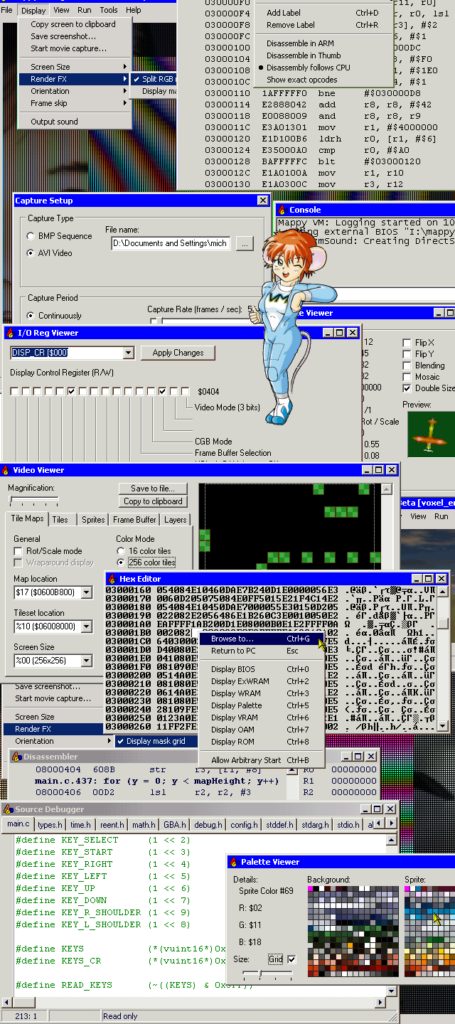
Mappy VM also provides an extensive suite of tools to assist developers in debugging and developing their games:

All of the viewers are updated in realtime as the simulation progresses, and most of them have editing capabilities. Being able to pause a simulation and edit system conditions can be extremely useful in attempting to reproduce bugs. In addition, Mappy VM also supports

saving or restoring the entire system state, making it easier to debug problems that only occur after several minutes of gameplay or to test multiple hypotheses.

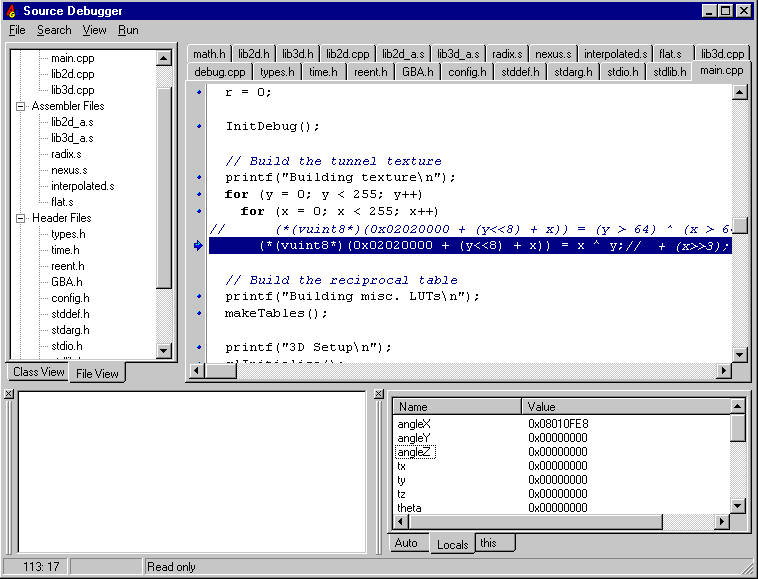
The source debugger from MVM 0.9 (current version)

A number of pictures from the current version (0.9) can be seen in the online help.

Collage of features from 0.8b

Cactus Jack: The Adventures of the Deranged Space Monkeys

A 3-D shooting game where you will have to work hard to figure out how all of the objects can be tied together! The camera hovers above and behind the player, allowing you to have the best control over him as you blast away at chocolate bunnies and surplus space telescopes.

Cactus Jack was my final project for CECS 361 (now CS4610) Computer Graphics I, along with Mike Reall and Mike Sullivan.

The gameplay is constrained to 2D and is a bit like asteroids, but the graphics are 3D.

Gauntlabo

Gauntlabo was a project to create a fun little Gauntlet-style game for the GBA. Although the project never really got off the ground, mainly due to other commitments for the group members, we did create two map editors and quite a bit of concept and tile art.

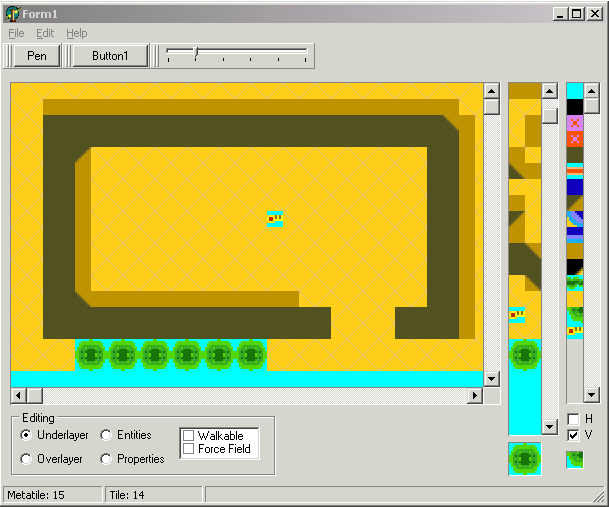
I did one of the map editors and a GBA stub to display maps, mainly to get the artists started. The editor isn’t very complicated, you select a tileset (stored in a free-form bitmap), and define your metatiles (including HV flips), although they are saved in the map file itself. This isn’t really a bad thing, since you can always copy a map with decent metatiles defined, and then clear it, but it’d be one thing I’d change.

The editor has 2 standard layers, and it lets you paint properties on any tile (although there were only two properties in the game engine at the time). It has all the code to place and save entities, but no entities to place…

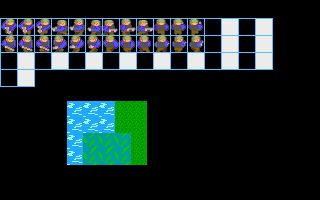
Feast your eyes on my programmer-art tileset (yes, that green blob is meant to be a bush)

Gautlabo Editor
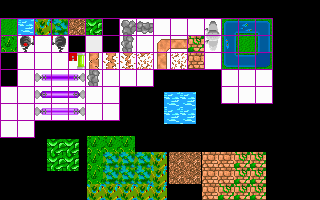
Some of JayC and J-Rod’s artwork